
What it does
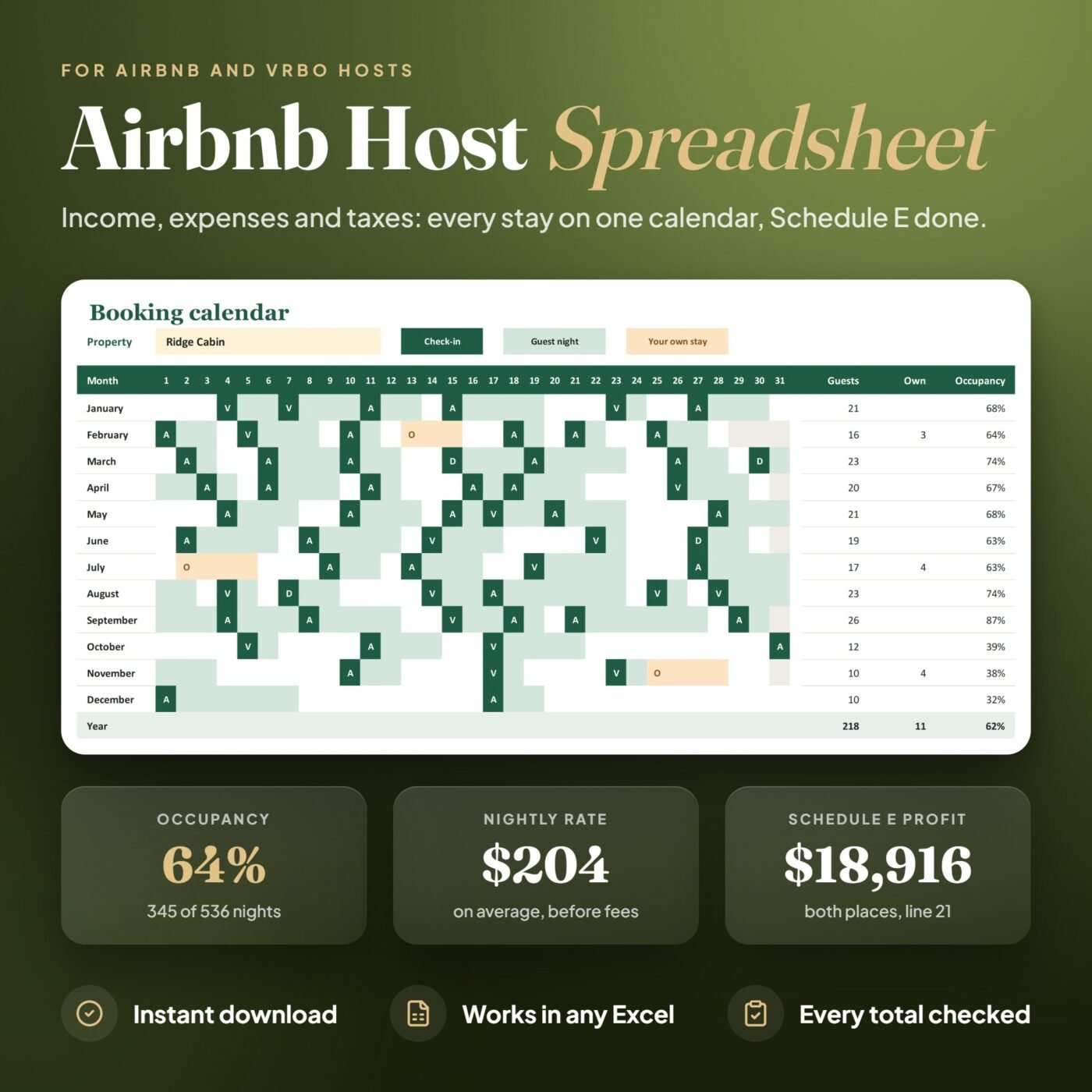
Type each stay once: the check-in and check-out, the platform, the rent and the cleaning fee. The nights, the platform’s fee and your payout work themselves out, and the booking calendar colours every night booked, your own stays in amber.
Log each bill and each trip, and the Dashboard shows payouts, expenses and profit by month, occupancy, the average nightly rate and the stays booked ahead, for each place and each platform. The Taxes tab fills in Schedule E for each property: rental and personal use days, the 14-day rule, shared costs split by the rental share, mileage at the IRS rate and a depreciation estimate.
It is made for hosts who want to know what each place really earns and to hand their tax preparer one clean page.
A real example
- Rents received, line 3
- $84,772.00
- Platform fees, in line 8
- $11,209.96
- Total expenses, line 20
- $65,855.79
- Income, line 21
- $18,916.21
The cabin and the condo in the file, January to September 2026, as Excel works it out: 89 stays, 64.4% occupancy, an average nightly rate of $204.18. The cabin had 7 days of your own use, so its shared costs count at 96.4%.

I run Forms and Sheets. If you have a question about this file, you can email me. Email Hamza
What is inside
| Section | What it does |
|---|---|
| Start Here | Six steps to get going, in plain words |
| Dashboard | Payouts, expenses, profit, occupancy, nightly rate, by month, place and platform |
| Bookings | One row per stay: nights, platform fee and payout work themselves out |
| Calendar | Every night booked for the place you pick, your own stays in amber |
| Expenses | Each bill, its Schedule E line and whether it is shared with your own use |
| Mileage | Each trip at the IRS rate for the date you drove |
| Taxes | Schedule E for each property, with the day rules of IRS Publication 527 |
| Properties | Each place you host, the day you listed it and its depreciation estimate |
| Settings | Your year, the share to set aside for tax, each platform's fee |
Questions
Who is it for?
Hosts on Airbnb, Vrbo, Booking.com or their own website, with one place or up to ten, who want payouts, occupancy and Schedule E in one Excel file.
Do I need to know Excel formulas?
No. You only type in the yellow cells. Nights, fees, payouts, the calendar, the dashboard and Schedule E fill in by themselves, and the Start Here tab walks you through it.
How are the platform fees worked out?
Each platform's fee rate is set once in Settings: Airbnb's host-only fee of 15.5% (3% if you are still on the split fee), Vrbo's 5% commission plus 3% card processing, your own. When a payout report shows another fee for a stay, type it in Fee if different.
Does it follow the IRS rules for vacation homes?
It counts fair rental days and personal use days for each property (Schedule E line 2), flags the 14-day rule and the used as a home test, and splits shared costs such as mortgage interest, utilities and depreciation by the rental share of the days, as IRS Publication 527 describes. It is a summary for you and your tax preparer, not tax advice.
What about Form 1099-K?
Line 3 is the gross before platform fees, the same kind of figure a 1099-K shows, and the Dashboard gives the gross by platform. For 2026 a platform sends one over $20,000 and 200 payments; rental income is reported either way.
Can I track the nights I use the place myself?
Yes. Pick Owner stay as the platform: those nights show in amber on the calendar and count as personal use days.
A guest cancelled but I kept some money. How do I enter it?
Type the same day for check-in and check-out, and the money you kept. It counts as income with no nights.
How much does it hold?
Up to 10 properties, 500 stays, 400 bills, 200 trips and 6 platforms. One file per year: next January, start a fresh copy of the blank file.
Do I have to delete the example before I start?
No. Your download has two files: the example, a cabin and a condo from January to September, so you can see how it works, and a blank copy of the same workbook for your own.
How do I get the file after I pay?
You get the download link on the screen right after checkout, and in your email receipt.