What it does
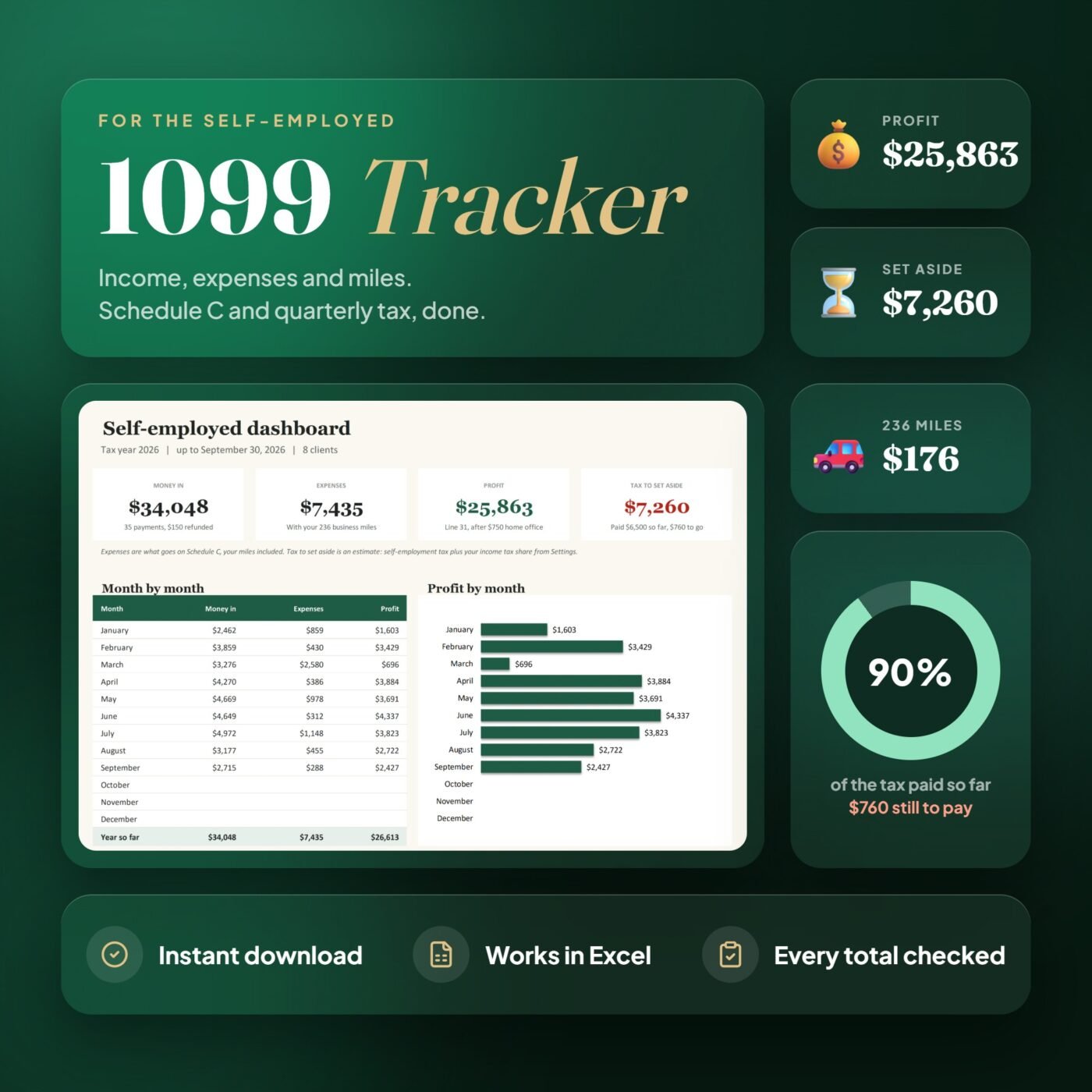
A bookkeeping spreadsheet for a small US service business that wants to keep its own records without a monthly software subscription. Type the payments you receive and the costs you pay. The dashboard and monthly profit and loss fill in from those records.
Keep sales separate from owner contributions and loans. Use the transfer log for card payments and moves between accounts. Compare each balance with its statement at the same report date.
Expenses show their business share and Schedule C category. The profit and loss separates full business costs from the meal tax adjustment. Taxes shows the 2026 federal payment dates, regular self-employment tax and a savings reserve using the income tax rate you choose.
Made for cash-method service sole proprietors and single-member LLCs treated as sole proprietors. No bank connection, inventory, payroll, interest, depreciation, home-office or tax-return calculation.
A real example
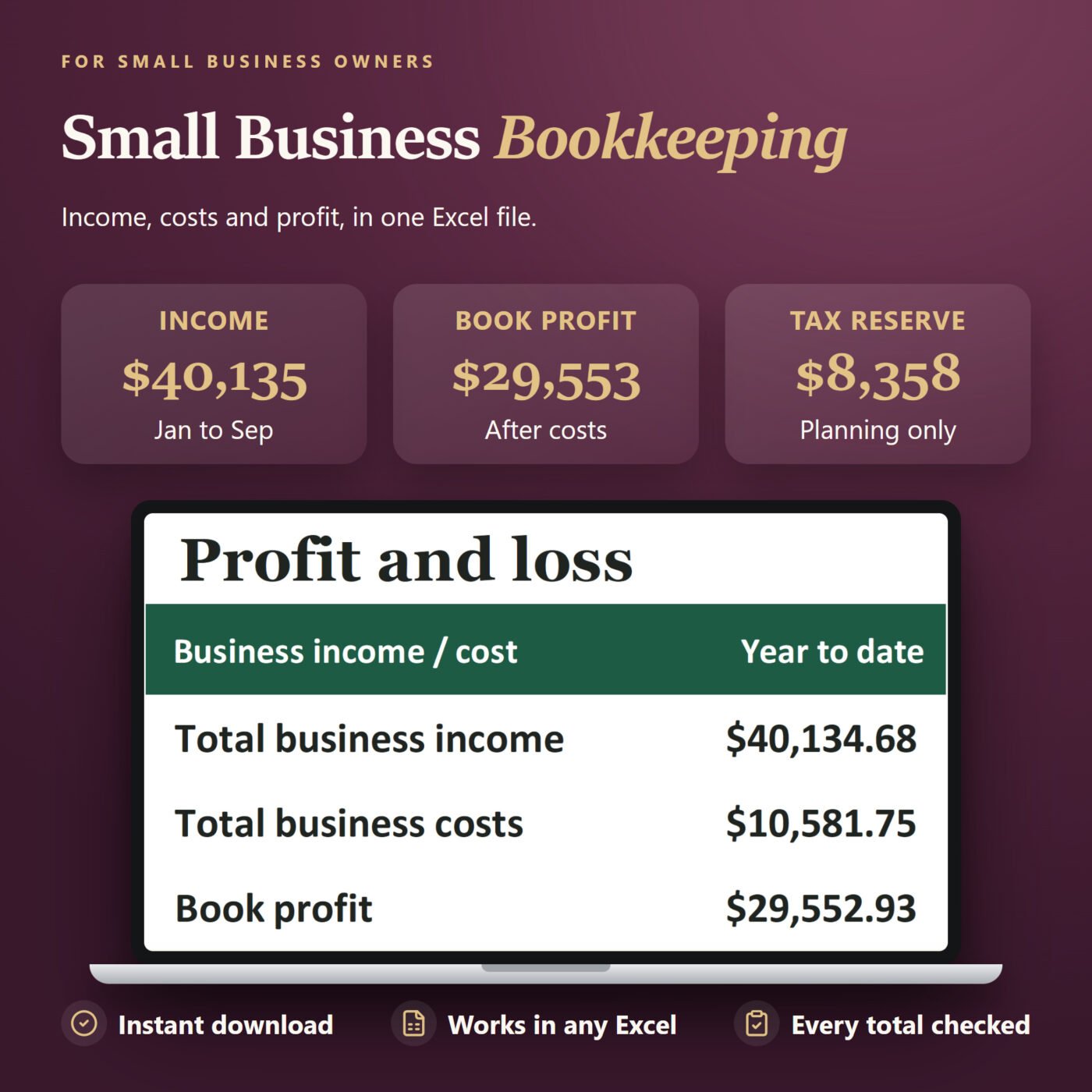
- Income
- $40,134.68
- Business costs
- $10,581.75
- Book profit
- $29,552.93
Maple Lane Admin Services, January to September 2026. Book profit is $29,552.93. The meal tax adjustment is $221.96, so tax planning profit is $29,774.89, before adjustments outside this workbook.

I run Forms and Sheets. If you have a question about this file, you can email me. Email Hamza
What is inside
| Section | What it does |
|---|---|
| Start Here | Six steps and plain instructions |
| Dashboard | Income, business costs and profit by month, with a profit chart |
| Income | Sales, refunds, other business income, owner funding and loans |
| Expenses | Business share, Schedule C category and deductible amount |
| Profit and Loss | Every month and the year, with a book-to-tax bridge |
| Taxes | Regular self-employment tax and a reserve using your planning rate |
| Accounts | Opening balances, transfers and a bank, card and cash balance check |
| Settings | Your business, report date and planning inputs |
Questions
Who is this for?
A US service sole proprietor or single-member LLC treated as a sole proprietor. Use it for cash-method records with one bank account, one credit card and cash.
Is it an alternative to accounting software?
For a small service business that wants to enter its own transactions in Excel, yes. It does not connect to banks or prepare payroll, inventory or tax returns.
How are credit card payments handled?
Record the purchase on Expenses when charged. Record the payment from Bank to Card in the Accounts transfer log. That keeps the cost from being counted twice.
Does it calculate my tax bill?
No. Taxes plans a reserve from regular self-employment tax and the income tax rate you choose. Withholding, credits, safe harbor, annualization, Additional Medicare tax and state tax are outside the calculation. Use Form 1040-ES or your tax preparer for required payments.
What about personal spending and assets?
The supplied categories keep owner draws, personal estimated tax, loan principal and asset purchases out of operating profit. Assets need separate accounting review.
How many rows are included?
200 income entries, 200 expenses and 100 transfers. Totals use 2026 transactions through your report date.
What does the balance check do?
Compare the calculated balance with a statement at the same date. Credit card debt is negative. It is a balance check; it does not mark individual transactions as cleared.
Which Excel versions work?
The workbook uses standard formulas and no macros. Tested in Microsoft Excel on Windows. Google Sheets, Apple Numbers and Excel on Mac have not been tested.
Do I need to remove the example?
No. You receive the worked example and a separate blank workbook.
How do I get the files?
The download link appears after checkout and in your email receipt.