What it does
Set once what one hour of work costs you, with pay, taxes, insurance and the van, and the margin you aim for. Then one row per service: the hours it takes, its materials and other costs. The sheet works out your cost and a suggested price that keeps your margin, rounded up the way prices are quoted.
Type a price of your own over it whenever you like: the margin it leaves is shown, and one under your aim is flagged in red. The Dashboard shows your average margin, the weakest prices first and what an hour of work really earns.
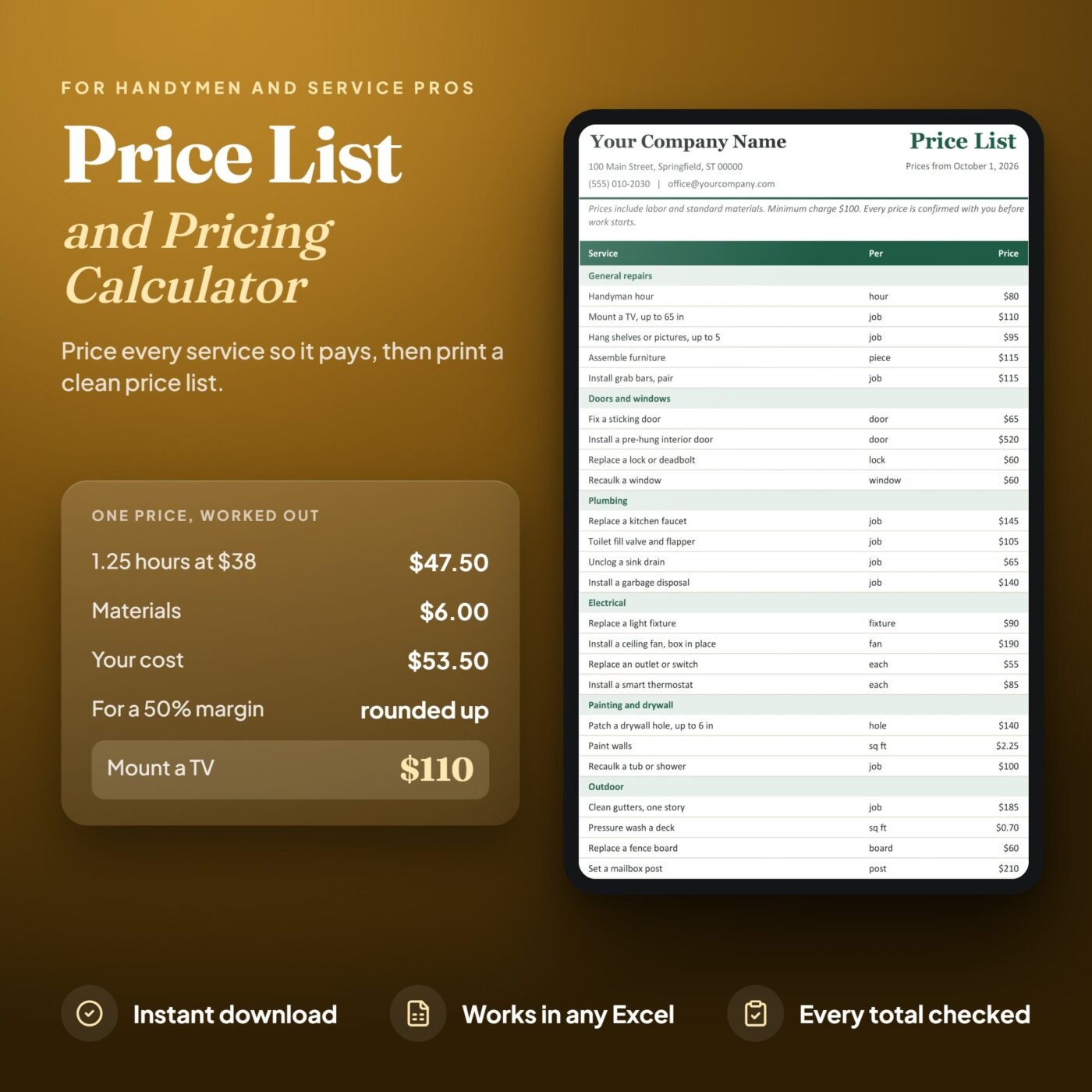
The Price List tab turns your services into a page for customers, grouped by category, ready to print, send or put on your website.
A real example
- 1.25 hours at $38.00
- $47.50
- Materials
- $6.00
- Your cost
- $53.50
- Price for a 50% margin
- $107.00
- Rounded up to the next $5
- $110.00
The TV mount in the file, as Excel works it out. Across the 25 services the average margin is 51.4%, and 1 price is flagged under the margin.

I run Forms and Sheets. If you have a question about this file, you can email me. Email Hamza
What is inside
| Section | What it does |
|---|---|
| Start Here | Six steps to get going, in plain words |
| Dashboard | Average margin, prices under your margin, what an hour earns, by category |
| Pricing | One row per service: hours, materials and costs in, the price and its margin out |
| Price List | Your services by category, for customers, ready to print |
| Settings | What an hour costs you, your margin, rounding and your categories |
Questions
Who is it for?
Handymen, painters, cleaners, lawn and pressure washing crews, any service business that prices jobs by the hours they take and the materials they use.
How is a price worked out?
The hours of a service times what one hour of work costs you, plus its materials and other costs, make your cost. The price is the one that leaves your margin, rounded up the way prices are quoted.
What is the difference between margin and markup?
Margin is the share of the price you keep after the job's own costs. A 50% margin on a $100 job leaves $50. The same job at a 50% markup would sell for $75 and leave $25.
Can I set my own price?
Yes. Type it over the suggested one. The sheet shows the margin it really leaves and flags it in red when that is under your aim.
What does the customer see?
Only the Price List tab: your services grouped by category with the unit and the price, under your heading and note. Your costs and margins stay on the Pricing tab.
Can I leave a service off the price list?
Yes. Set On the price list to No, for a price you quote case by case, like an after-hours call-out.
How much does it hold?
Up to 100 services in six categories of your own.
Do I have to delete the example before I start?
No. Your download has two files: the example, a handyman business with 25 services, so you can see how it works, and a blank copy for your own.
Do I need to know Excel formulas?
No. You only type in the yellow cells. Everything else works itself out, and the Start Here tab walks you through it.
How do I get the file after I pay?
You get the download link on the screen right after checkout, and in your email receipt.