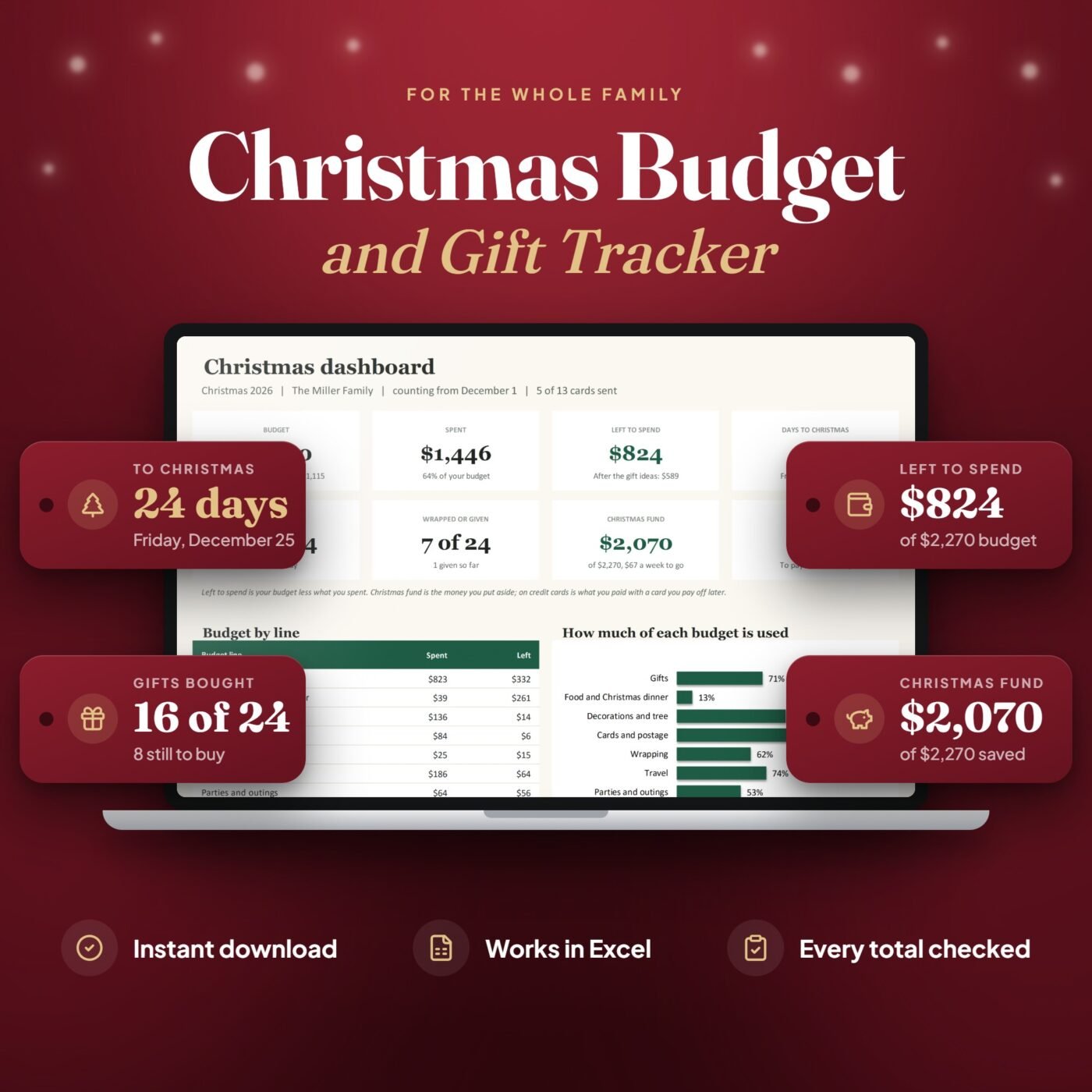
What it does
Plan each part of Christmas once on the Budget tab: the gifts, the dinner, the tree, cards and stamps, travel and outings. Add everyone you buy for on People with a gift budget, then each gift on the Gift List with the price you plan and the price you paid, from Idea to Given.
Spent and left fill in for every budget line and every person, over budget turns red, and the Christmas Fund tab shows what you have put aside and what to save each week until your date. The Dashboard shows the days to Christmas, the gifts bought and wrapped, what is still to buy and what is on credit cards to pay off in January.
It is made for families who want to enjoy Christmas and still know where every dollar went.
A real example
- Christmas budget
- $2,270.00
- Spent so far
- $1,445.71
- Left to spend
- $824.29
- Gift ideas still to buy
- $235.00
- Christmas fund, saved
- $2,070.00
- On credit cards, to pay off in January
- $769.19
The Miller family's Christmas in the file, counted from December 1, 2026, as Excel works it out. Still to save by December 18: $200.00.

I run Forms and Sheets. If you have a question about this file, you can email me. Email Hamza
What is inside
| Section | What it does |
|---|---|
| Start Here | Six steps to get going, in plain words |
| Dashboard | Spent and left, days to Christmas, gifts bought and wrapped, what is still to buy |
| Budget | Ten budget lines with planned, spent, left and the share used |
| People | A gift budget, a wish list and the Christmas card for each person |
| Gift List | One line per gift, from Idea to Ordered, Bought, Wrapped and Given |
| Spending | Everything that is not a gift, each on its budget line |
| Christmas Fund | What you put aside, and what to save each week |
| Settings | Name, year, the save-by date, how you pay and the groups of people |
Questions
Who is it for?
Anyone who buys for a family at Christmas and wants one place for the whole season: the gifts, the dinner, the tree, cards and stamps, travel and outings, and the money put aside for it.
Do I need to know Excel formulas?
No. You only type in the yellow cells. Spent, left, the gift counts, the savings plan and the dashboard fill in by themselves, and the Start Here tab walks you through it.
Can I change the budget lines?
Yes. Gifts is the first line and adds up from the gift budgets on People. The other nine lines (the dinner, decorations and the tree, cards and postage, wrapping, travel, parties and outings, giving, outfits and other) can be renamed to fit your Christmas.
How does the gift list work?
One line per gift: who it is for, the price you plan and the price you paid. Move the status from Idea to Ordered, Bought, Wrapped and Given. Each person's spent, ideas still planned and money left update as you go, and the dashboard lists what is still to buy.
How does the Christmas fund work?
Log each amount you put aside. The goal is your whole budget, or an amount of your own in Settings, and it shows what to save each week or every second payday until the date you pick.
What does on credit cards mean?
In Settings each way of paying is marked paid now or paid later. Gifts and costs paid with a credit card, a store card or a buy now, pay later plan add up to the bill to pay off in January, so you see it before it comes.
How much does it hold?
Up to 60 people, 200 gifts, 200 other costs and 100 amounts put aside. One file per Christmas: next year, start a fresh copy of the blank file.
Do I have to delete the example before I start?
No. Your download has two files: the example, the Miller family's Christmas, so you can see how it works, and a blank copy of the same workbook for your own.
How do I get the file after I pay?
You get the download link on the screen right after checkout, and in your email receipt.