What it does
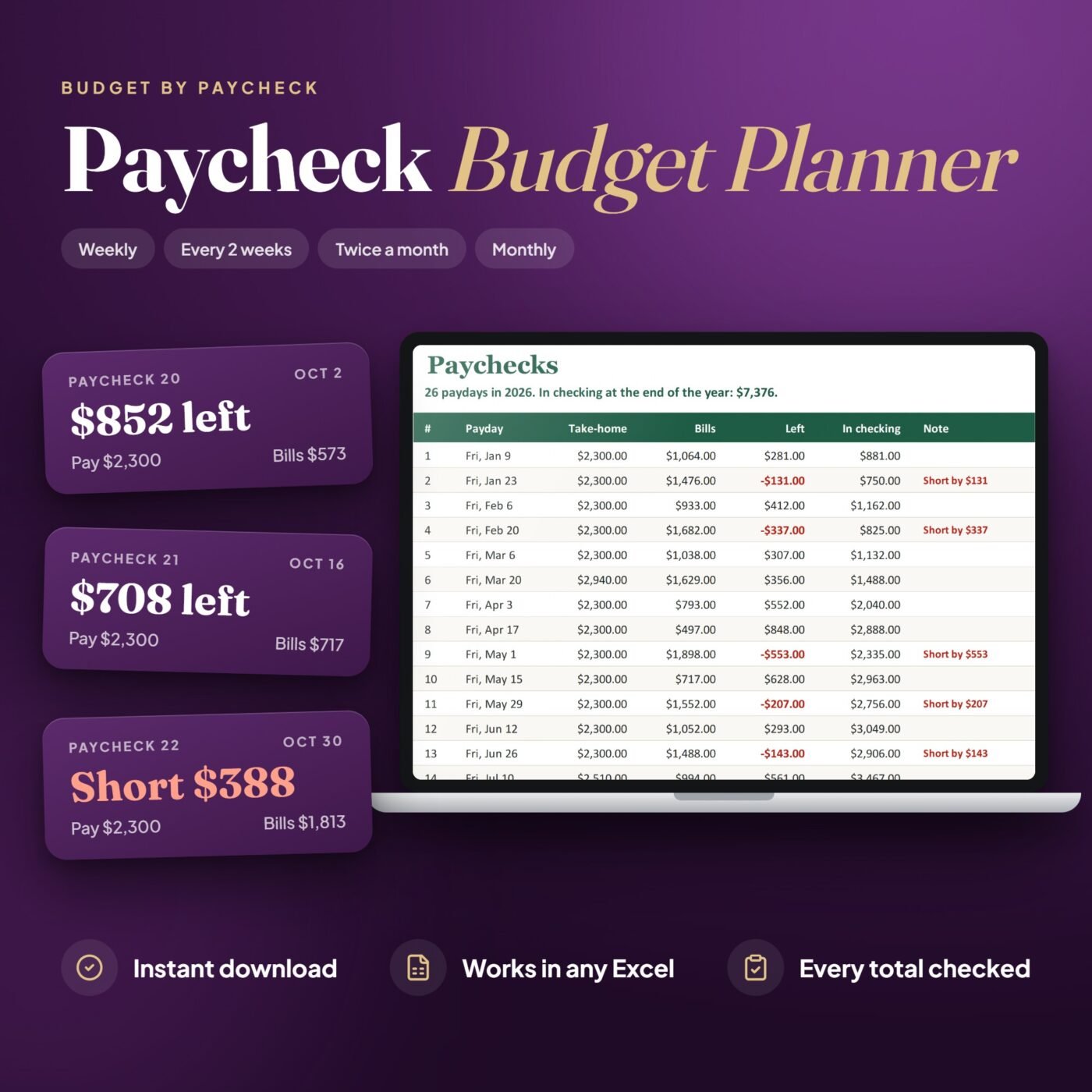
Set how you are paid once: weekly, every 2 weeks, twice a month or monthly, with your take-home pay. Type each bill once with how often it comes and when it is due, and each savings goal with what goes in from every paycheck. The planner lays out every payday of the year and the bills each one pays.
Each paycheck shows its bills, the spending plan, savings, what is left and the money in checking after it. A short paycheck is flagged months ahead, and the Paycheck Plan tab prints one paycheck’s plan with what you really spent against the plan. The Dashboard shows the year: bills a month, the days to payday, your 50/30/20 split and the lowest point in checking.
It is made for anyone who lives from paycheck to paycheck and wants every bill covered before it is due.
A real example
- In checking before the first payday
- $600.00
- Take-home this year
- $60,650.00
- Bills paid from the 26 paychecks
- $30,044.00
- Spending plan
- $18,460.00
- Into savings
- $5,370.00
- In checking at the end of the year
- $7,376.00
Jordan's 2026 in the file, paid every 2 weeks, counted from October 2, as Excel works it out. 10 of the 26 paychecks are short, and the money in checking covers each one; the lowest point is $750.00.

I run Forms and Sheets. If you have a question about this file, you can email me. Email Hamza
What is inside
| Section | What it does |
|---|---|
| Start Here | Six steps to get going, in plain words |
| Dashboard | The year: take-home, bills a month, this paycheck, the next payday, the 50/30/20 split |
| Paycheck Plan | One paycheck's plan to print, with spent against planned |
| Paychecks | Every payday with its bills, what is left and the money in checking |
| Bills | Each bill once, with how often, the due day or date, autopay and account |
| Spending | What you really spend, one line each |
| Savings | Each goal with a target, a date and what goes in from every paycheck |
| Savings Log | Money taken out of a goal or added to it |
| Settings | How you are paid, your take-home pay and the spending plan per paycheck |
Questions
Who is it for?
Anyone paid weekly, every 2 weeks, twice a month or monthly who wants to know which paycheck pays which bill, and what is left after each one.
Do I need to know Excel formulas?
No. You only type in the yellow cells. The paydays, the bills of each paycheck, what is left, the money in checking and the dashboard fill in by themselves, and the Start Here tab walks you through it.
How does it know which paycheck pays a bill?
Type each bill once with how often it comes (monthly, every paycheck, every 3 months or yearly) and when it is due. Each paycheck pays the bills due from its payday until the day before the next one.
What is a short paycheck?
One where the bills, the spending plan and savings come to more than it brings in. The planner flags it months ahead, and the In checking column shows whether the money left from earlier paychecks covers it.
My paycheck is not always the same. Does it still work?
Yes. Type your usual take-home in Settings, and the real amount on the Paychecks tab for any payday that differs, for overtime or a smaller check. Everything after it updates.
What happens when a payday falls on a weekend?
In Settings you choose whether a weekend payday moves to the Friday before. Twice a month on the 15th and the last day works too.
What is the 50/30/20 split on the dashboard?
Your bills and spending categories are marked Need or Want, and the dashboard shows needs, wants and savings as a share of your take-home, next to the 50/30/20 rule of thumb.
How much does it hold?
Up to 50 bills, 12 spending categories, 15 savings goals, 300 spending lines and 50 savings log lines. One file per year: next January, start a fresh copy of the blank file.
Do I have to delete the example before I start?
No. Your download has two files: the example, Jordan's year paid every 2 weeks, so you can see how it works, and a blank copy of the same workbook for your own.
How do I get the file after I pay?
You get the download link on the screen right after checkout, and in your email receipt.