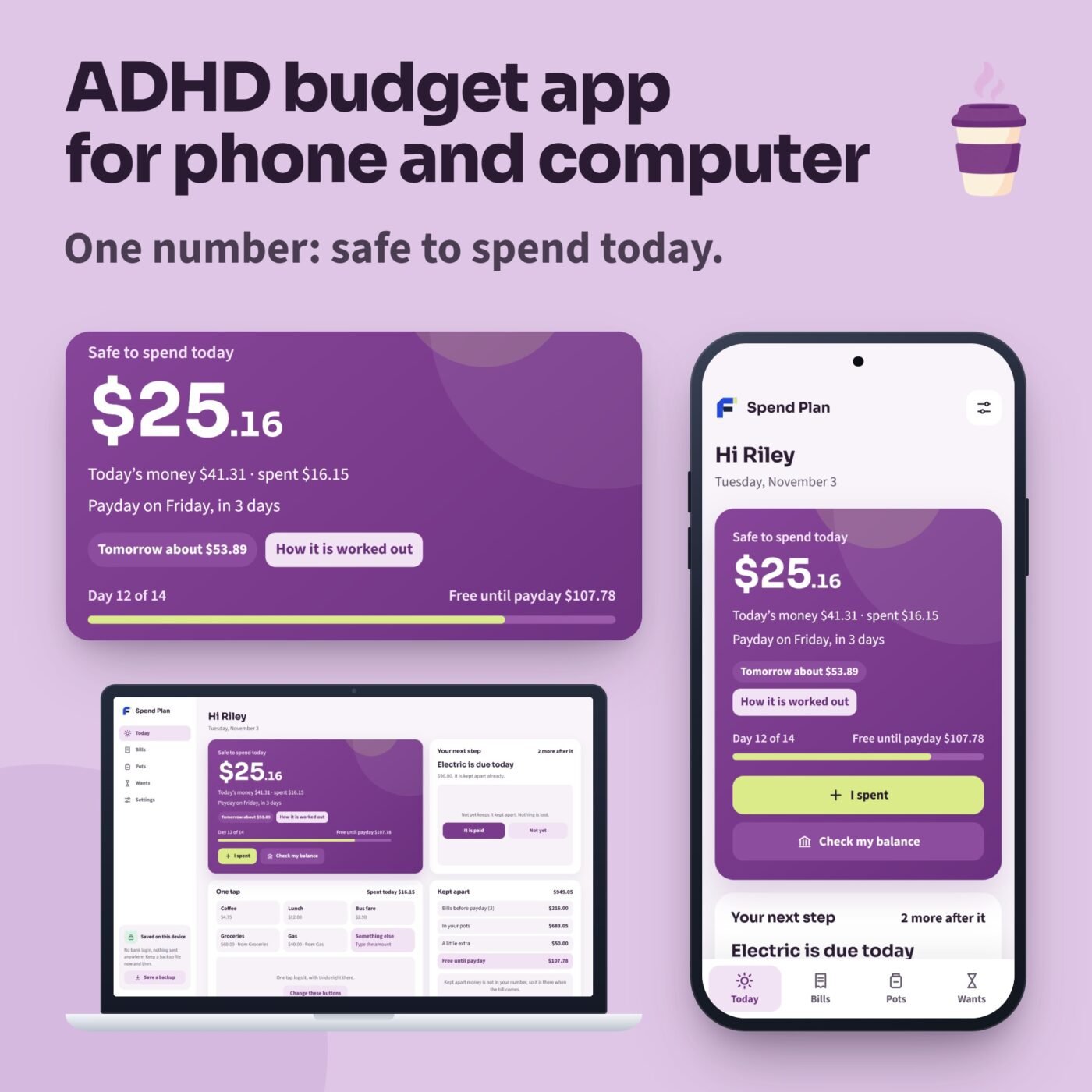
What it does
Spend Plan is a calm ADHD budget app that opens in the web browser on your phone and your computer. Nothing to install from an app store, no account and no bank login: what you type stays on your device.
It answers one question every day: how much can I spend today? Type what your bank app says, and the bills before payday, your pots and a little extra are kept apart first; what is free is shared over the days to payday. Spend less today and tomorrow gets a little more. Your usual spends are one-tap buttons, with Undo right there. One next step at a time: a bill due, payday, a balance check after a week. Missed a week? There is nothing to catch up on: one balance check and your number is right again. Pots keep money apart for big spends like groceries or a holiday, and a wait list lets you sleep on a want before you buy it.
After you buy, the Start Here guide gives you your private link and a code to scan with your phone’s camera. Add Spend Plan to your Home Screen and it opens without internet after the first visit. An offline copy for computers is included. Save a backup file now and then to keep your plan safe or move it to another device.
Try it first: the free demo opens every screen with the example plan. Nothing you type in the demo is kept.
A real example
- Safe to spend today
- $25.16
- Today's money
- $41.31
- Free until payday
- $107.78
The app opens with a fictional example, Riley's pay period, built around the day you open it: paid every 2 weeks, 10 bills, 4 pots, 5 one-tap buttons and 5 wants.

I run Forms and Sheets. If you have a question about this file, you can email me. Email Hamza
What is inside
| Section | What it does |
|---|---|
| Today | One number, safe to spend today, from your bank balance; one-tap spends with Undo and one next step |
| Bills | The bills before payday kept apart first; tick one when it is paid, and those that pay themselves tick on their day |
| Pots | Money kept apart for big spends: a pot that fills up again each payday, or one that grows to a goal |
| Wants | Wait a day, two days or a week before you buy, then buy it, let it go or save for it |
| Settings | Your pay, your one-tap buttons, a calm view with just the number, and your backup file |
Questions
How do I get the app?
After you buy, download the Start Here guide. It has your private link and a code to scan with your phone's camera.
Does it work on iPhone and Android?
It opens in the web browser. Add it to your Home Screen from Safari on an iPhone or Chrome on Android, then open it from its icon. After the first visit it works without internet.
Does it connect to my bank?
No. You type what your bank app says, and Spend Plan works out the rest. No bank login and no account: nothing is sent anywhere.
Can I use it on my phone and my computer?
Yes. Each device keeps its own plan. Save a backup file on one and load it on the other to move your plan.
What if I stop using it for a while?
Nothing to catch up on. Check your balance once and your number is right again.
Is there a subscription?
No. You pay once.
Can I try it first?
Yes. The free demo opens every screen with the example plan. Nothing you type in the demo is kept.
What if I clear my browser?
Clearing your browsing data removes the plan on that device. Save a backup file now and then and load it back when you need it.
Which browsers does it work in?
It is made for current Chrome, Edge, Safari and Firefox, and was checked in Google Chrome and in Safari's engine at phone and computer sizes.
Is this financial advice?
No. Spend Plan is a budget planner that helps you see what you can spend.